
SixHub
Hot Videos. Real Rewards.
Unlimited adult videos inside.
Invite friends and earn rewards from every member you bring.
Invite friends and earn rewards from every member you bring.
🔥 Unlimited Videos
💸 Invite & Earn
🔒 VIP Content
Scan with your phone to enter
Install & Unlock Videos
Open Web Version →
Hot content • Quick install • Earn from invites
Install Guide
Check these quick Android steps below.
1
Use Chrome or your default browser
Open this page in Chrome or your phone browser.
2
Confirm the security prompt
If a warning appears, tap Continue, Install anyway to continue.
3
Open SixHub
Open SixHub and start watching.

Note:
Steps may look slightly different on some Android devices.
Install & Unlock Videos
Open Web Version →
Hot content • Quick install • Earn from invites
Install Guide
Check these quick iPhone steps below.
1
Tap Install and Download
Tap the install button on this page.
2
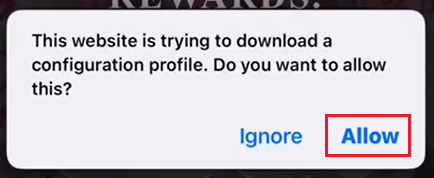
Tap Allow
Allow the profile download.
3
Open Settings
Go to Settings.
4
Tap General
Open General.

5
Open Device Management
Tap VPN & Device Management.

6
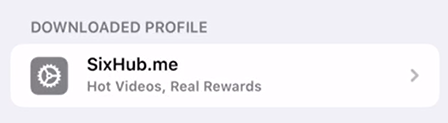
Open the SixHub profile
Tap the downloaded SixHub profile.
7
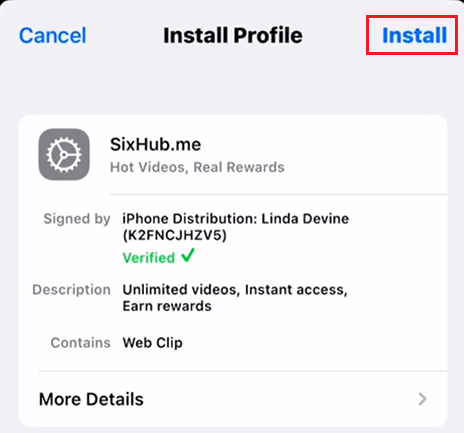
Tap “Install”
Tap Install at the top right.
8
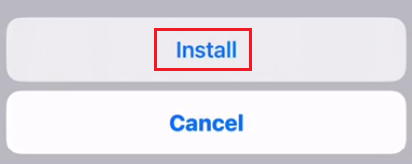
Install again
Tap Install again to finish.
9
Done
Open SixHub from your Home Screen.